Web scraping


Data tidying and importing

Data Science with R

Scraping the web

Scraping the web: what? why?

  • Increasing amount of data is available on the web

  • These data are provided in an unstructured format: you can always copy & paste, but it’s time-consuming and prone to errors

  • Web scraping is the process of extracting this information automatically and transform it into a structured dataset

  • Two different scenarios:

    • Screen scraping: extract data from source code of website, with html parser (easy) or regular expression matching (less easy).
    • Web APIs (application programming interface): website offers a set of structured http requests that return JSON or XML files.

Web Scraping with rvest

Hypertext Markup Language

  • Most of the data on the web is still largely available as HTML
  • It is structured (hierarchical / tree based), but it’s often not available in a form useful for analysis (flat / tidy).
<html>
  <head>
    <title>This is a title</title>
  </head>
  <body>
    <p align="center">Hello world!</p>
  </body>
</html>

rvest

  • The rvest package makes basic processing and manipulation of HTML data straight forward
  • It’s designed to work with pipelines built with |>

Core rvest functions

  • read_html(): Read HTML data from a url or character string
  • html_element(): Select a specified HTML element
  • html_elements(): Select specified HTML elements
  • html_table(): Parse an HTML table into a data frame
  • html_text(): Extract text from an HTML element
  • html_name(): Extract the name of an HTML element
  • html_attr(): Extract all HTML element attributes by name
  • html_attr(): Extract a single HTML element attribute by name

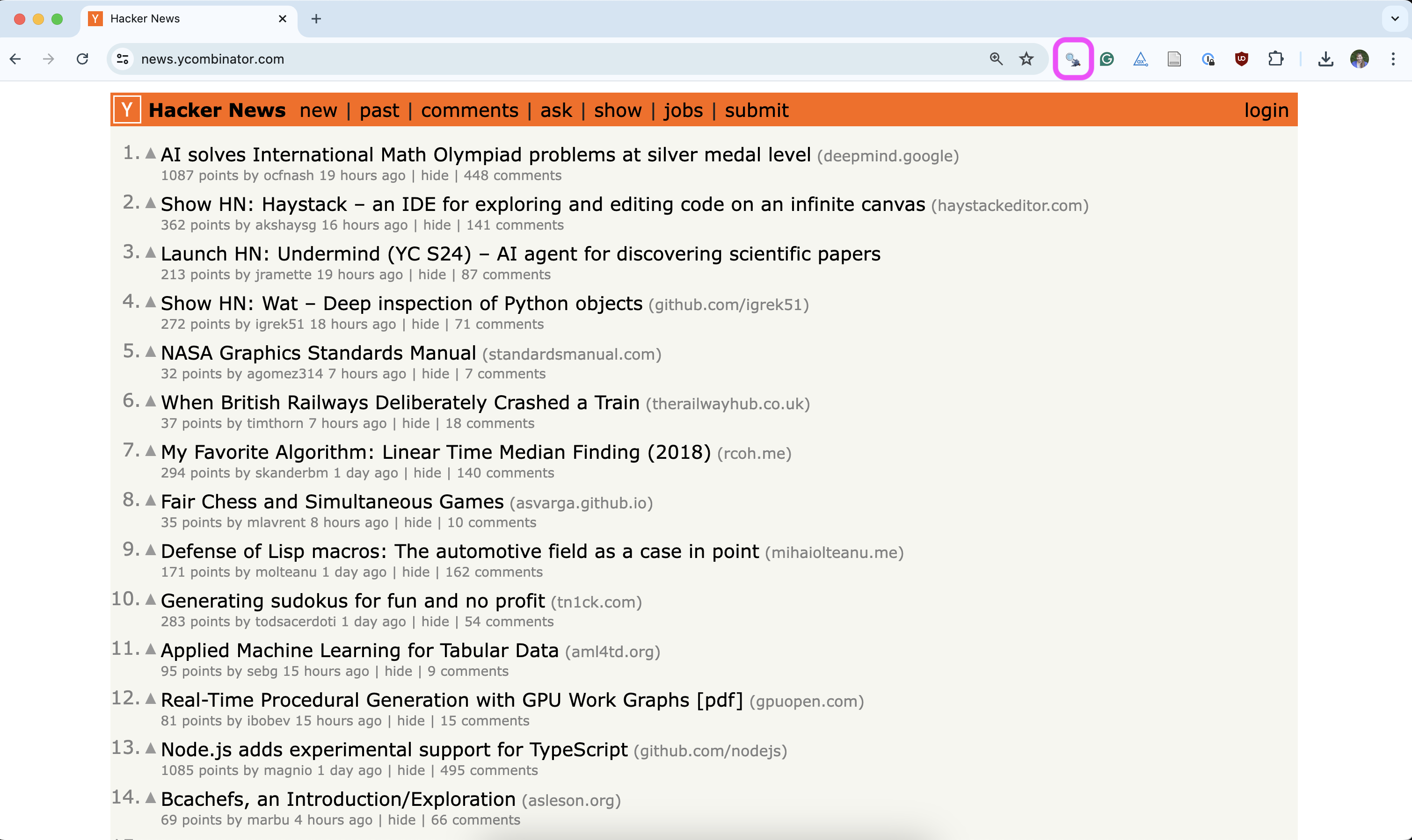
SelectorGadget

  • Open source tool that facilitates discovery and selection of tags for elements on a page
  • Add to your browser as an extension, e.g., Chrome Extension
  • Find out more on the SelectorGadget vignette
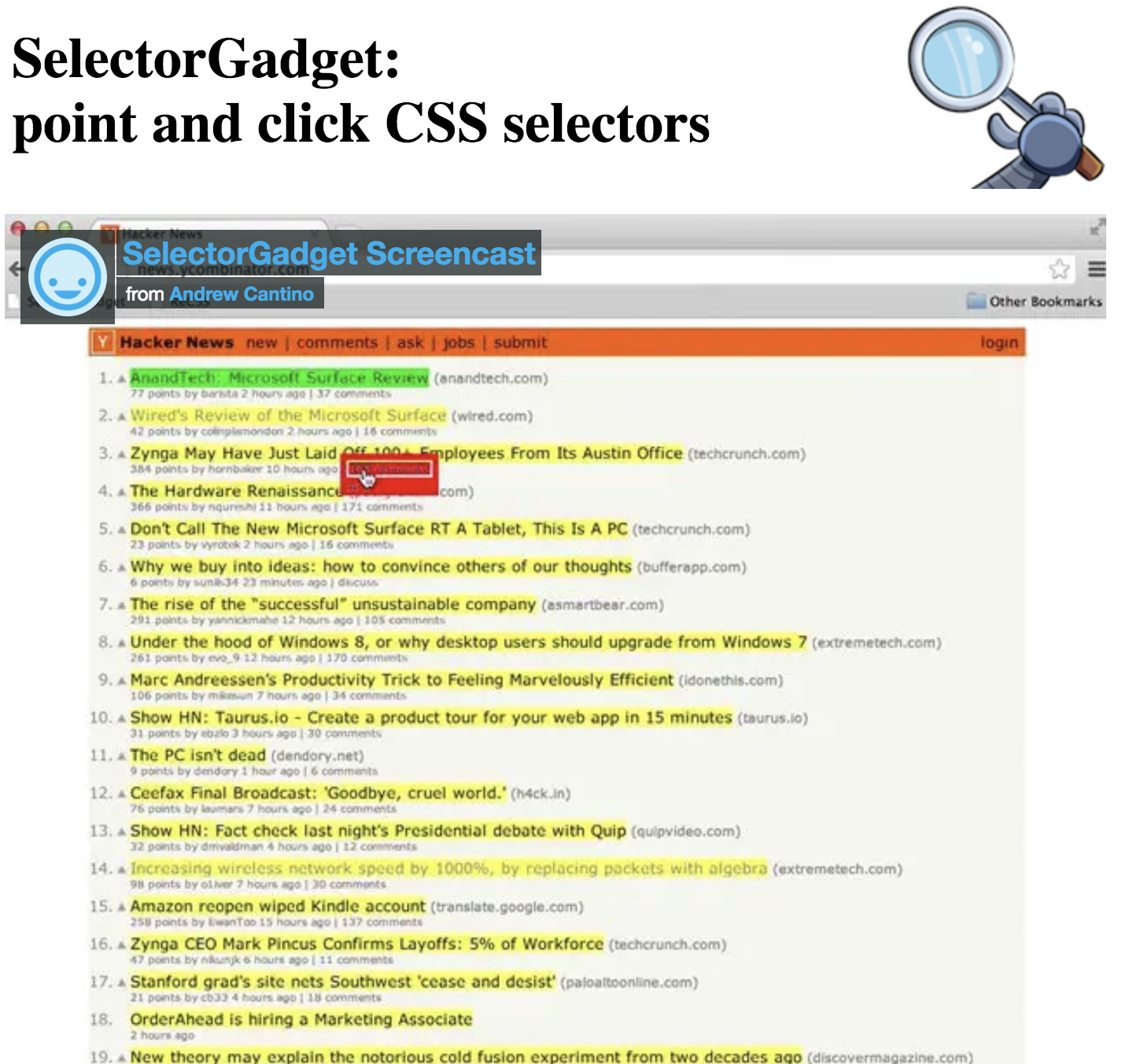
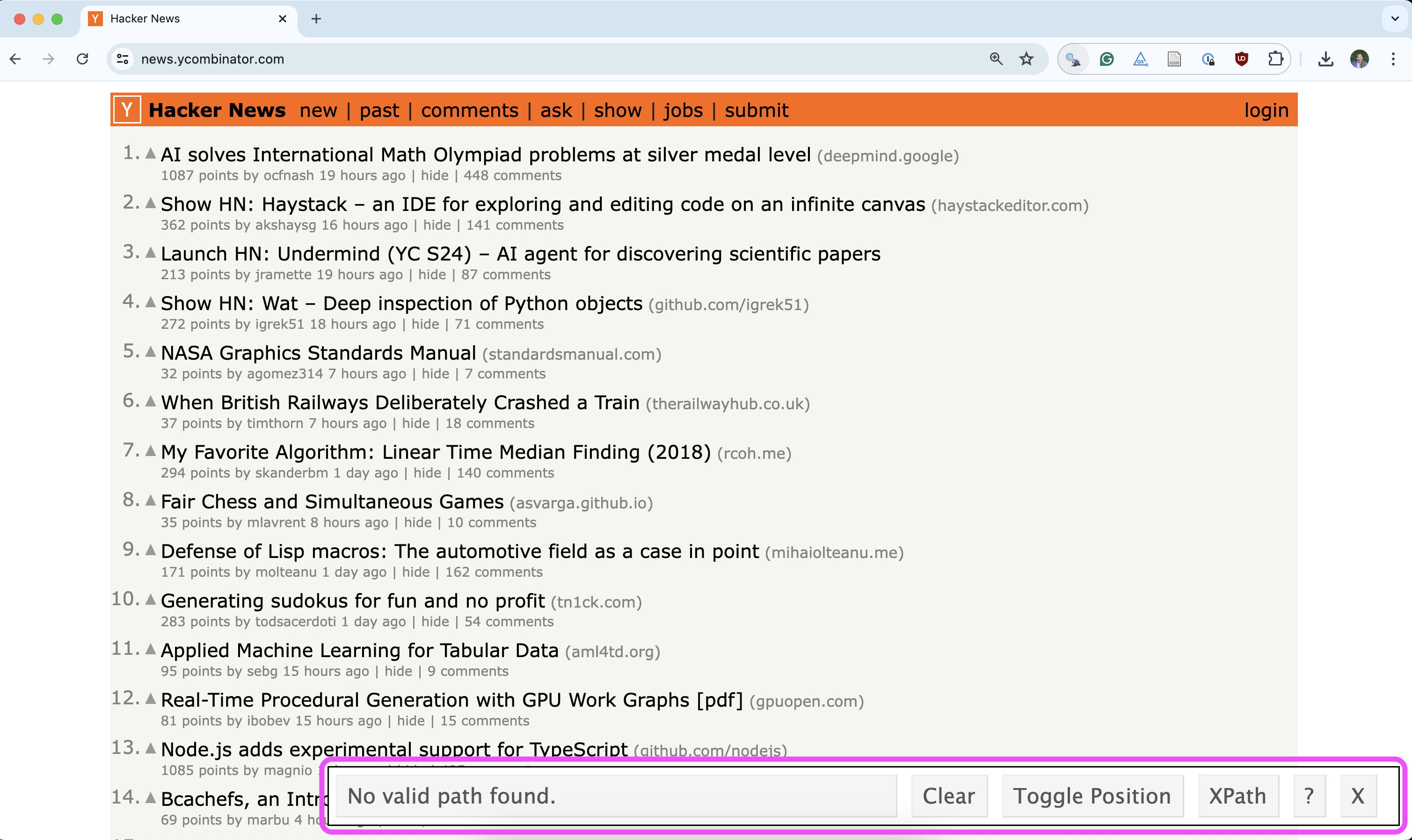
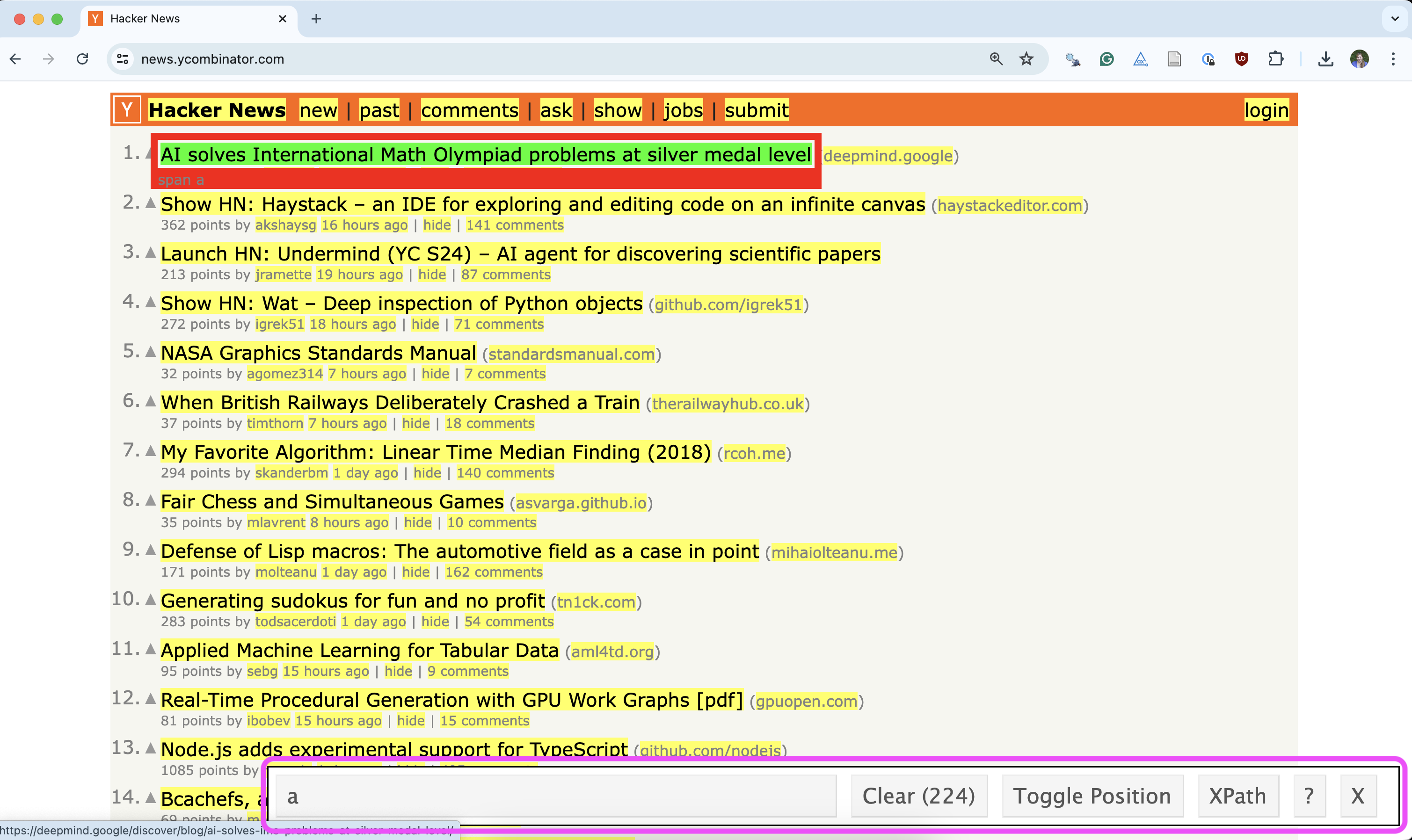
Using the SelectorGadget

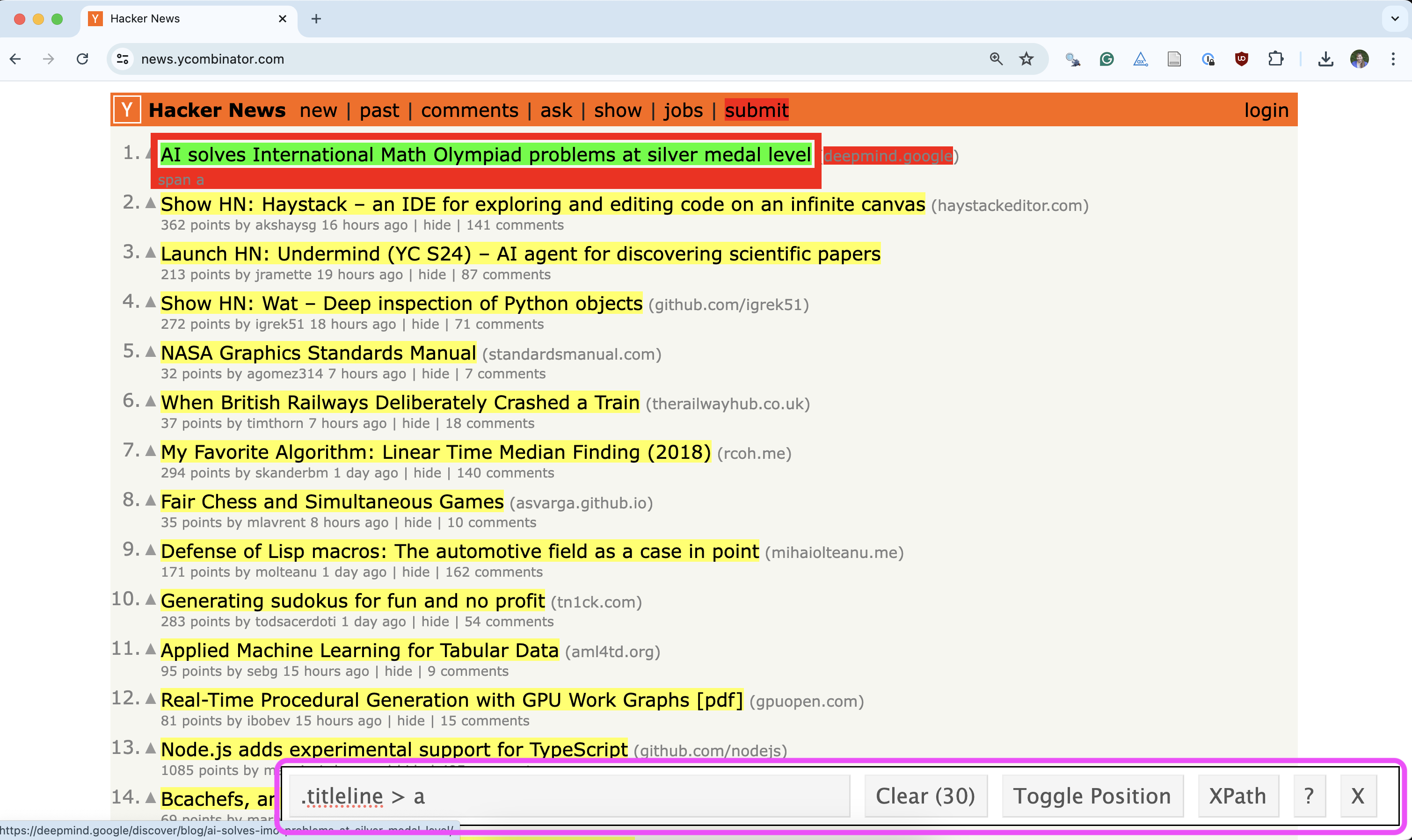
Using the SelectorGadget

Through this process of selection and rejection, SelectorGadget facilitates discovering the appropriate CSS selector for your needs.